Quick start
The editor and the scene
NodeEditorWidget is a ready-made widget that owns a Scene and a graphics
view. If you would rather drive the graph without a widget — in a test, or
inside a larger application — build a Scene directly.
Creating a node
A Node belongs to a scene and declares its sockets up front. The inputs
and outputs lists hold socket types, and the matching input_text and
output_text lists hold the labels drawn beside them.
from nodeeditor.node_node import Node

source = Node(scene, title="Value", outputs=[1], output_text=["out"])
sink = Node(scene, title="Print", inputs=[1], input_text=["in"])
A node registers itself with the scene when it is created, so there is nothing to add by hand.
Socket types
The integer in inputs / outputs selects the socket type, which decides its
colour:
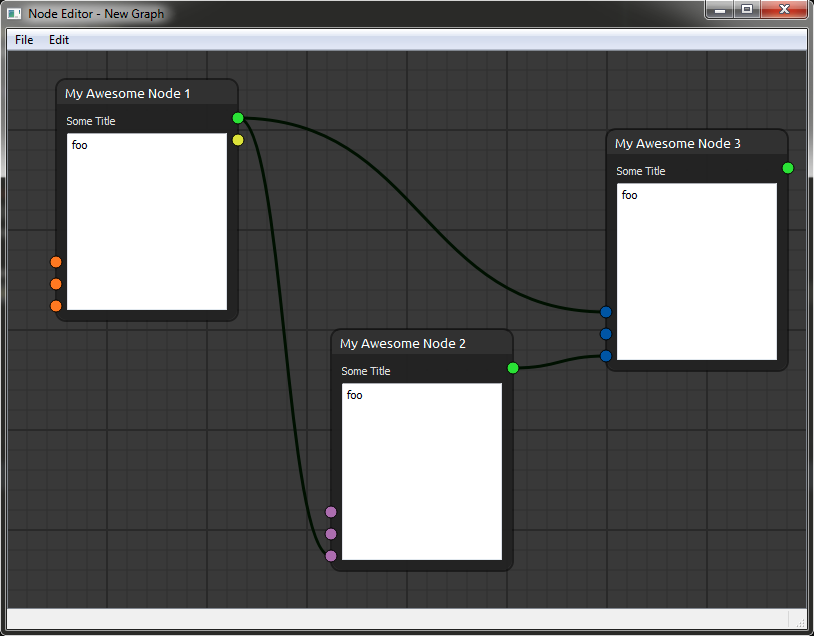
| Type | Colour | Type | Colour |
|---|---|---|---|
0 |
orange | 4 |
red |
1 |
green | 5 |
yellow |
2 |
blue | 6 |
grey |
3 |
purple |
The shape a socket is drawn with is a separate concern — see Socket shapes.
Connecting nodes
An Edge connects an output socket to an input socket. It registers itself
with the scene as well.
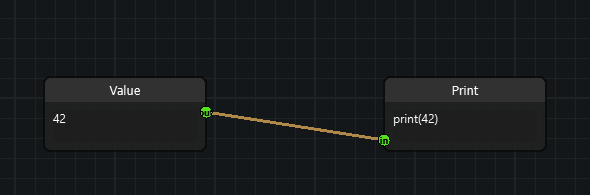
The result is a graph you can drag around, edit and undo.
Showing the graph
import sys

from qtpy.QtWidgets import QApplication
from nodeeditor.node_editor_widget import NodeEditorWidget

app = QApplication(sys.argv)

editor = NodeEditorWidget()
editor.show()

sys.exit(app.exec())
Saving and loading
Scenes serialize to plain JSON, which keeps graph files readable and easy to diff in version control.
Use scene.serialize() and scene.deserialize(data) if you want the data as
a dictionary instead of a file.
Adding your own logic
Subclass Node and override evalImplementation() to plug your own
computation into the graph. The framework marks nodes dirty and invalid and
propagates that through the edges for you.
from nodeeditor.node_node import Node


class NumberNode(Node):
    def __init__(self, scene, title="Number", inputs=None, outputs=None):
        super().__init__(scene, title=title, inputs=inputs or [1], outputs=outputs or [1])

    def evalImplementation(self):
        self.markDirty(False)
        self.markInvalid(False)
        self.markDescendantsInvalid(False)
        self.markDescendantsDirty()
        return 42
The multi-input nodes and graph algorithms guides show how this scales to larger graphs.
Where to go next
- Socket shapes — draw sockets as triangles, chevrons or anything you like.
- Node grouping — collapse a subgraph into one node.
- Node labels and edge labels — annotate a graph without changing its structure.
- API reference — every class and method.