Trigger Designer
Trigger Designer is a desktop workbench for building data pipelines as a graph of nodes. You read a file, clean and shape it, test it, and write the result, all on a canvas. You configure each step in a panel beside the canvas, and the app shows you the data as you go.
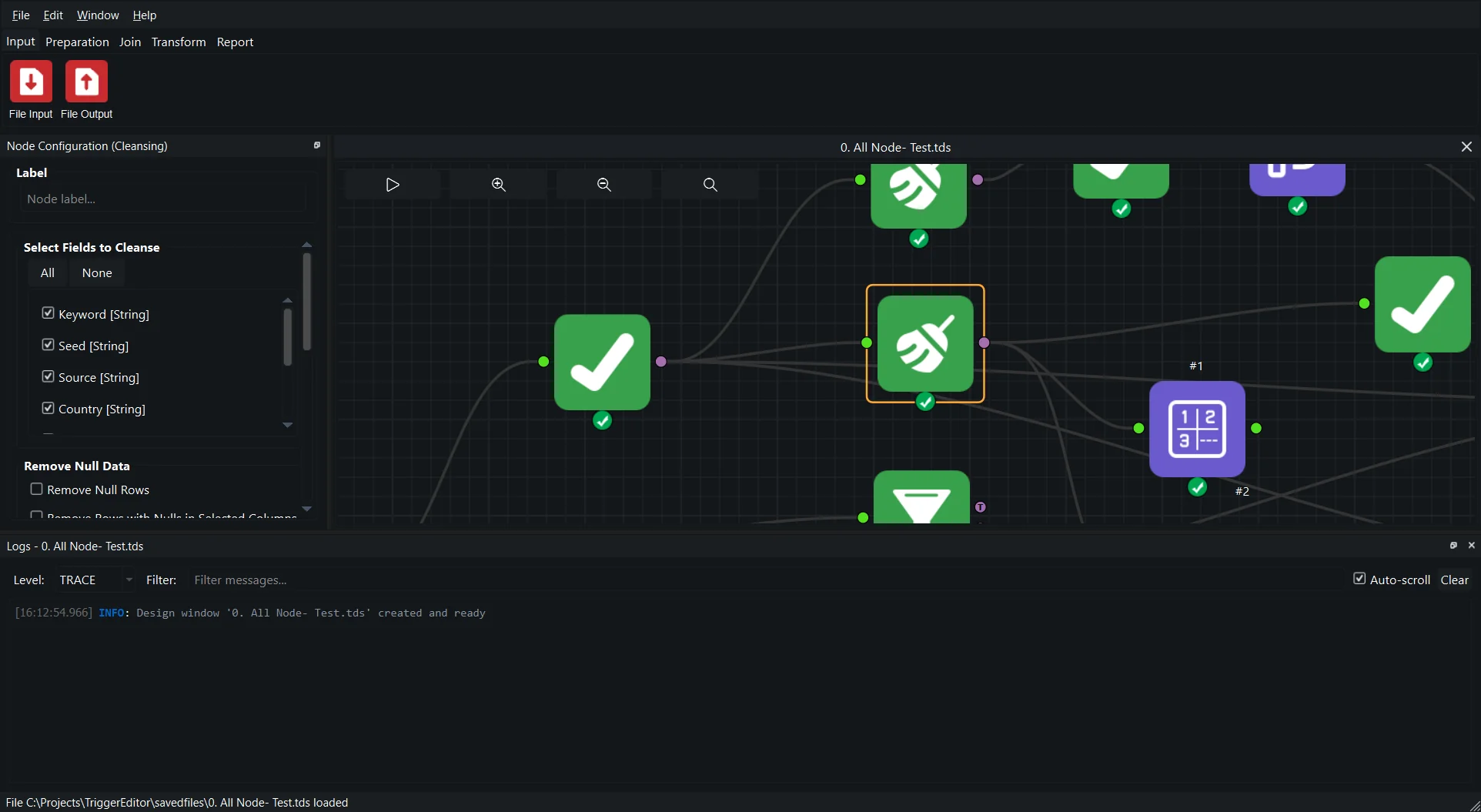
You do not write code to use it. You drag nodes, connect their sockets, and fill
in the settings. Workflows are saved as portable .tds files you can share with
a colleague or run unattended from the command line.
Who it is for
- Auditors and analysts who need repeatable checks over ledgers, journals and transaction lists.
- Anyone who receives a messy spreadsheet or export and needs a clean, documented result without writing a script.
- Reviewers who must show what was run, on which file, with which settings.
Everything runs on your own computer. Every Run leaves a record you can verify.
The shape of every pipeline
Most workflows follow the same four steps:
- Input. File Input reads CSV, text, Excel, Parquet, JSON, SQLite or DuckDB.
- Prepare. Preparation nodes fix types, trim text, filter rows, calculate columns, sort, aggregate and reshape.
- Test. Audit nodes find duplicates, gaps, Benford outliers and risky entries, and draw repeatable samples.
- Output. File Output writes CSV, Parquet, Excel, JSON or NDJSON. Workpaper Output builds a formatted Excel workpaper.
Join and Transform nodes sit between these steps when you need to combine tables or change their shape.
Start here
-
Read a CSV, tidy it and find duplicate orders in about ten minutes.
-
The screen, the sockets, undo, and how a workflow is wired together.
-
Every node in the palette, with its settings, an example and its messages.
-
What the 100-row preview shows, and what a Run does, step by step.
-
Read a message, look up a
TD-code, fix the workflow. -
Run history and the audit trail
Show what ran, verify the record, compare two runs.
-
Produce the formatted Excel workpaper and tie it to the run record.
-
Run a saved workflow unattended and read the exit code.
-
Use Trigger Designer from Claude Code, Codex or Cursor, with you in control.
Two habits that save trouble
Preview is a sample. While you edit, every node works on the first 100 rows. Counts, totals and audit results in the preview describe that sample. Press Run before you quote a number or hand over a file.
Click away after typing. A setting is saved as you type, but the node recalculates when you select another node or click the canvas. The yellow mark on a node means a change is waiting to run.